
📅 Updated August 2026: The guidance for troubleshooting adjustable bed remotes has been verified for accuracy. Most common issues still stem from simple causes like dead batteries or lost pairing, which this guide helps resolve.
There’s a unique, quiet frustration that comes with a piece of technology failing at the exact moment you need it most. You’ve settled in for the night, ready to elevate your head to the perfect reading angle or activate the zero-gravity preset that melts away the day’s stress, and… nothing. Your adjustable bed remote, the trusted wand for your personal comfort kingdom, is unresponsive. Before you resign yourself to a flat night’s sleep or start dreading a costly service call, take a deep breath. At Yawnder, we know that the vast majority of remote control issues have surprisingly simple solutions. This guide will walk you through the most common troubleshooting steps, from the easiest fixes to more specific resets, to get you and your adjustable base back on speaking terms.
Need a replacement remote?
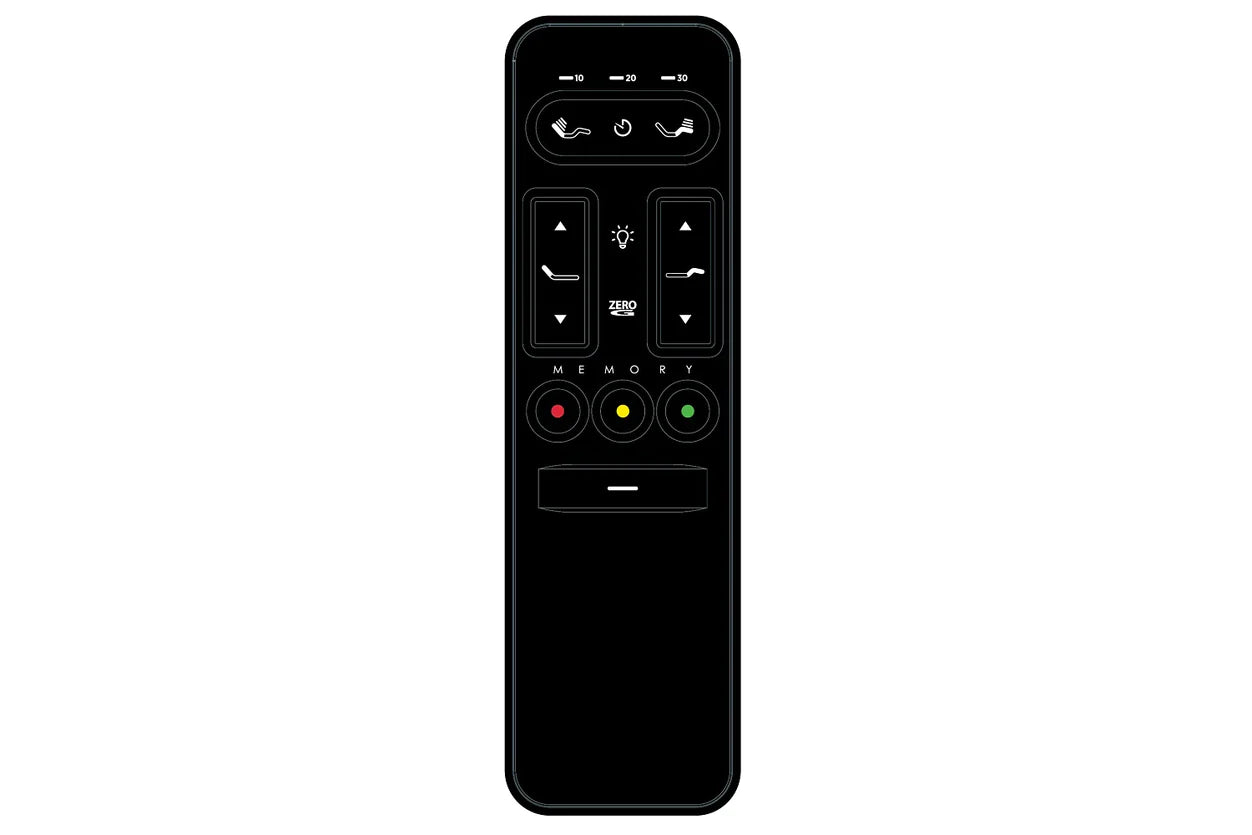
Match the exact base and remote before ordering. Adjustable-bed remotes are not universal, and even visually similar versions may not interchange. Check the label on the control box, model number, production date and remote appearance first.
Search replacement remotes on Amazon →
Amazon links may include third-party sellers. Verify compatibility before purchase. As an Amazon Associate, Yawnder earns from qualifying purchases.
Start with the Simple Stuff: Your First-Line Fixes
In any troubleshooting scenario, the best practice is to start with the most likely and least invasive solutions first. Jumping straight to a factory reset is like rebuilding your car’s engine because of a flat tire. More often than not, a dead remote is caused by a simple power or communication issue. These initial steps resolve the problem for a significant number of users and take only a few minutes to perform.
1. Check and Replace the Batteries
It seems obvious, but it’s the number one culprit. Remote control batteries don’t always die gracefully; they can lose enough power to fail intermittently long before they are completely drained. Don’t just test them—replace them. Use a fresh, new set of the correct type (e.g., AAA, AA) from a reputable brand. When you insert them, double-check that their positive (+) and negative (-) terminals align correctly with the markings inside the battery compartment. Sometimes, a battery can get slightly dislodged, breaking the connection. Simply reseating the existing batteries can occasionally be enough, but a full replacement is the most reliable first step.
2. Re-Pair Your Remote (The Digital Handshake)
Modern adjustable bases use a wireless connection—often Bluetooth or radio frequency (RF)—to communicate between the remote and the base’s control box. Just like your phone can sometimes lose its connection to your car, your remote can lose its pairing with the bed. Re-pairing, or re-syncing, re-establishes this digital handshake. The exact process varies by model, but it generally follows this pattern:
- Locate the “Learn” Button: Unplug the bed base from the wall outlet. Look for a small control box attached to the base’s frame or integrated into the power cord itself. This box often has a small, single button labeled “Learn,” “Pair,” or something similar. Sometimes it’s a small, recessed button you’ll need a pen tip to press. On many popular models from manufacturers like Tempur-Pedic, Sealy, or Leggett & Platt, this button is your key.
- Activate Pairing Mode: Plug the bed base back into the wall outlet. Within 60 seconds of plugging it in, press and hold the “Learn” button on the control box for a few seconds. The unit may beep or a light may flash, indicating it is in pairing mode.
- Complete the Sync on the Remote: While the base is in pairing mode, press and hold a specific button or combination of buttons on your remote. This is often the “Head Up” and “Foot Up” buttons simultaneously, or sometimes a dedicated “Pair” button on the back of the remote. Hold them for 3-5 seconds. You should hear a confirmation beep or see the indicator light on the control box stop flashing, confirming the remote is now paired. Test the functions to ensure it worked.
The Power Cycle: A Reboot for Your Bed Base
If new batteries and re-pairing don’t solve the issue, the problem may lie with the base itself rather than the remote. The control box is a small computer, and like any computer, it can get stuck in a weird state due to power fluctuations, software glitches, or simple electronic confusion. A power cycle is the classic “turn it off and on again” solution that works for countless electronic devices.
How to Properly Power Cycle Your Adjustable Base
This process is about more than just a quick unplug and replug. To be effective, you need to give the internal components enough time to fully discharge their stored energy, which clears any temporary glitches from the system’s memory.
- Unplug the Base: Follow the cord from your bed frame to the wall outlet. Unplug it completely. If you’re using a surge protector, unplug it from the wall, not just from the protector strip.
- Wait 60 Seconds (Minimum): This is the most important step. Don’t rush it. This one-minute pause allows the capacitors in the control box and power supply to fully discharge, effectively erasing any volatile memory that might be causing the freeze-up.
- Check Your Connections: While you’re waiting, use the time to ensure all other physical connections are secure. Check that the power cord is firmly plugged into the bed’s control box.
- Plug It Back In: Plug the base directly into a known-working wall outlet. We recommend avoiding extension cords or power strips for this test to rule them out as a potential point of failure.
- Test the Remote: Wait about 15 seconds for the base to fully initialize, then try using your remote. In many cases, this simple reboot is all that was needed to restore functionality.
Getting in Sync: Advanced Remote Solutions
If you’ve tried the basics and your remote is still on strike, it’s time to look at a couple of more advanced options. These steps are typically for more persistent issues or specific setups like a Split King.
For Split King Owners: Check the Sync Cable
If you have a Split King or Split California King setup (two separate Twin XL or Split Cal King bases side-by-side), and only one remote is working or the bases aren’t moving together when you want them to, the issue is likely the sync cable. This is a physical cord that connects the two control boxes, allowing one remote to operate both bases simultaneously. Check that the cable is securely plugged into the “Sync” or “Bridge” port on both control boxes. If it’s loose or disconnected, the bases won’t be able to communicate with each other.
Performing a Factory Reset
For a step-by-step starting point, see our adjustable bed remote reset guide, then follow the instructions for your specific base and remote.
Consider this the final software-based solution. A factory reset will wipe the remote and base’s memory, returning them to the state they were in when they left the factory. This will erase any custom presets (like your favorite reading position) and force a fresh re-pairing. The method for a factory reset varies wildly between brands, so consulting your owner’s manual is key. However, it often involves a combination of unplugging the base and holding specific buttons on the remote as you plug it back in.
Before you perform a factory reset, take a moment to write down or take a picture of your favorite preset positions if you can access them. A few seconds of preparation can save you several minutes of reprogramming everything from scratch later.
A factory reset can resolve deeper software conflicts but be aware that it’s a “blank slate” operation. You will need to re-pair your remote and reprogram any personalized memory settings afterward.